Sunday, May 9, 2010

Chris Marker

La Jetee


Sans Soeil

Final Assignments due 05.12.10

-If you haven't already, post both of your projects to Vimeo or YouTube and email me the link. This is part of your grade, and easy to do via Share in FCP. If you have any questions about this, email me asap. Deadline is 05.12.10 at 12 noon. No exceptions.

-If you did not do a presentation, turn in your Origins of Cinema paper by 05.12.10 at 12 noon. No exceptions. Paper requirements are here:
http://visthinkings10.blogspot.com/2010/04/origins-of-cinema-papers.html

Monday, May 3, 2010

Homework + Supplies due 05.07.10

-Finish your final project. It is due at the beginning of class. No exceptions.

-Bring in 2 versions/2 DVDs: a mastered DVD and a quicktime file on
DVD. If you have any questions about this, email me asap.

-We will start the crit with Zach's video installation in the Fine
Arts building, 25 E. 13th St., 4th floor, near the wood shop. Please
be there right at 12 so we can get started. After we finish Zach, we
are going to room i425 (55 W. 13th) to screen the other pieces.

-BRING FOOD/COFFEE/ETC. We are critiquing 12 videos in a crazy amount
of time, there will not be a break.

-Let me know if there's any way you can stay late, the crit may run over.

-Post your both of your projects to Vimeo or YouTube. This is part of
your grade, and easy to do via Share in FCP. If you have any questions
about this, email me asap. Deadline for this is 05.12.10 at 12 noon.
No exceptions.

-If you did not do a presentation, turn in your Origins of Cinema
paper by 05.12.10 at 12 noon. No exceptions.
http://visthinkings10.blogspot.com/2010/04/origins-of-cinema-papers.html

Thursday, April 29, 2010

Video Melee at Gallery Aferro

This is a great opportunity to show your work:
http://www.aferro.org/websitebaker/wb/pages/opportunities/open-calls.php

I know it's the end of the semester, but install one of your videos if you can.

VIDEO MELEE
OPEN CALL FOR MOVING IMAGERY IN ANY FORMAT
Artists are invited to bring moving imagery, either pre-recorded or created live, for "Video Melee" in Gallery Aferro’s main gallery. "Video Melee" will go on from 5/1 till 5/28. The main gallery is 19 feet wide by 170 feet long. Email to express your intent as soon as possible to submit[at]aferro[dot]org, bring equipment and imagery to 73 Market St Newark NJ.

Video Melee works as follows:
From 4/28-4/30, from 11-7, bring the means to display your imagery, i.e. DVD player/screen combos, TV’s, projectors, etc. Plug your equipment in and set up your equipment to loop. This will go on until all space and available electrical power is exhausted. Enjoy the opening reception on 5/1. After 5/28, remove your equipment.

Video Melee is a democratic experiment, less about claims to “firsts” than about the enactment of small rituals and gestures in downtowns everywhere.

Monday, April 26, 2010

Homework + Supplies due 04.30.10

Your revised rough cut is due this Friday 4/30. At this point your project should be 90% finished, it's due the following week 5/07. Please be prepared to show it to me at the beginning of class on Friday, and to spend the bulk of class time continuing to work on it. Email me with questions ASAP, or make an appointment to see me on Wednesday so that you are prepared for Friday.

**Important announcement about your film papers**
You all have a lot of work to do on your projects between now and 5/07. Taking this into account, I'm postponing the paper due date to Wed. 5/12 at 12 noon. Any papers not delivered to my mailbox (5th floor, 25 East 13th St., Fine Arts office) and emailbox by 12 noon on 5/12 will not be counted. This paper is worth a letter grade, so please do not miss this deadline.

Description pf paper requirements is here:
http://visthinkings10.blogspot.com/2010/04/origins-of-cinema-papers.html

Good luck on your projects, please remember to save your files!

Thursday, April 22, 2010

Extra Credit: Gary Hill talk at EAI

*Go, write 3 paragraphs in your sketchbook, and I'll give you extra credit.


 GARY HILL

Book Launch: Screening + Conversation
with Gary Hill, George Quasha + Charles Stein

Tuesday, April 27, 2010 6:30 pm

Electronic Arts Intermix (EAI)
535 West 22nd Street, 5th Floor
New York, NY 10011
www.eai.org

Admission free
Please RSVP: info@eai.org

Please join EAI for a special launch event celebrating the publication of An Art of Limina: Gary Hill’s Works and Writings, a new monograph devoted to the works of artist Gary Hill. At EAI, Hill will appear in conversation with the book's authors, George Quasha and Charles Stein, poets, writers and artists who have worked interactively and performed with Hill for over three decades. Hill will discuss and screen selections from his early single-channel videos, tracing the development of his distinctive approach to language, sound and the moving image. Written in close connection with the artist and featuring a foreward by Lynne Cooke, An Art of Limina is the most comprehensive and in-depth treatment of Hill's work to date, presenting extensive information on 104 of his works from the 1970s through the present, as well as seminal writings by the artist.

Gary Hill's art forges an important investigation into the relationships between words and electronic images. Originally trained as a sculptor, Hill began working in video in 1973 and has produced a major body of single-channel video and video installations. Hill's first tapes explored formal properties of the emerging medium, particularly through integral conjunctions of electronic visual and audio elements. This exploration would give way to thoroughly unique investigations of linguistics and consciousness in works characterized by their experimental rigor, conceptual precision and imaginative leaps of discovery. Perhaps as much as any artist using image/sound media, Hill's work in video is about, and is, a new form of writing.

__________________________________

Gary Hill was born in 1951. He studied at the Arts Student League in Woodstock, New York. Hill has been the recipient of numerous awards and honors, most notably the prestigious Leone d'Oro Prize for Sculpture at the Venice Biennale in 1995 and the John D. and Catherine T. MacArthur Foundation Grant in 1998. Hill has taught at the Center for Media Study, Buffalo; Bard College, Annandale-on-Hudson, New York; and the Cornish College of the Arts, Seattle. Hill's installations and videos have been seen throughout the world, in group exhibitions at The Museum of Modern Art, New York; Documenta 8, Kassel, Germany; Long Beach Museum of Art, California; and Stedelijk Museum, Amsterdam; among other festivals and institutions. His work has also been the subject of retrospectives and one-person shows at the Fondation Cartier pour l'art contemporain, and Centre Georges Pompidou in Paris; Whitney Museum of American Art, New York; San Francisco Museum of Modern Art; Guggenheim Museum SoHo, New York; Museum für Gegenwartskunst, Basel; Museu d'Art Contemporani, Barcelona; Kunstmuseum Wolfsburg; and The Museum of Modern Art, New York; among others. Hill lives and works in Seattle.

For more information about the works of Gary Hill, please visit: www.eai.org

George Quasha works across mediums to explore principles in common within language, sculpture, drawing, video, sound, installation, and performance. His fifteen books include poetry, anthologies and writing on art. The recipient of a Guggenheim Fellowship in video art and a National Endowment for the Arts Fellowship in poetry, he has taught at Stony Brook University (SUNY), Bard College, and The New School Graduate Anthropology Department. With artist Susan Quasha he is founder/publisher of Barrytown/Station Hill Press in Barrytown, New York.

Charles Stein is the author of eleven books of poetry. He holds a Ph.D. in literature from The University of Connecticut at Storrs and has taught at SUNY Albany and Bard College. His work includes photography, sound poetry, and performance. He lives in Barrytown, New York.

___________________________________

An Art of Limina: Gary Hill’s Works and Writings was written by George Quasha and Charles Stein, with foreward by Lynne Cooke. The tenth title in the internationally acclaimed 20_21 Collection, An Art of Limina has been published by Ediciones Polígrafa, under the direction of Gloria Moure. In the United States, An Art of Limina is distributed by D.A.P./Distributed Art Publishers, Inc.
___________________________________

About EAI

Founded in 1971, Electronic Arts Intermix (EAI) is one of the world's leading nonprofit resources for video art. A pioneering advocate for media art and artists, EAI's core program is the distribution and preservation of a major collection of over 3,500 new and historical media works by artists. EAI fosters the creation, exhibition, distribution and preservation of video art and digital art. EAI's activities include a preservation program, viewing access, educational services, extensive online resources, and public programs such as artists' talks, exhibitions and panels. The Online Catalogue is a comprehensive resource on the artists and works in the EAI collection, and also features extensive materials on exhibiting, collecting and preserving media art: www.eai.org

Monday, April 19, 2010

Homework + Supplies due 04.23.10

Your homework is to keep working on your rough cut, whittle it down to 5 minutes or less. For next class, have it exported as a quicktime file and burned to a DVD. We will be reviewing the rough cuts as a class.

Friday, April 9, 2010

Viewing List 04.09.10

John Smith
"the girl chewing gum"

Guy Ben Ner
"Wild Boy"
"Berkley's Island"

Brakhage
"The Garden of earthly delights"
"The Dante Quartet"

Ultimavez
"Blush"

Tom Pnini
"Snow Demo"
"Volcano Demo"
"Cloud Demo/Manara"

Jan Svankmajer
"Alice"

Homework + Supplies due 04.16.10

1. Finish shooting footage for Personal Narrative.

2. Import your footage and assemble rough cut in FCP. Be ready to show me your rough cut during class, and to spend the rest of class time working on it.

3. Supplies: Have your hard drive and sketchbooks with you. Be prepared to keep working on your rough cut during class.

Monday, April 5, 2010

Origins of Cinema Papers *Due 05.12.10 at 12 noon

As we discussed last class, if you have not done a film presentation yet, you must turn in an Origins of Cinema paper at the end of the semester. Deadline is 05.12.10 at 12 noon.

The paper should be 4-5 pages, 12-point Times New Roman font, double-spaced. Please email me a copy as well as turning in an actual printed paper.

The paper must include:
-Brief bio and filmography of the director (greatest hits, limit it to top 10)
-Brief summary of the film’s plot and necessary story elements
-Brief description and analysis of two important scenes: discuss the “mise-en-scène” -->framing, composition, POV, sets, lighting, acting, costumes, etc.
-Historical and critical analysis: why is this film important within the history of film, and what makes it unique?

You are welcome to quote liberally from online and print sources, but everything must be properly footnoted/credited. Use the same MLA format you are using for art history or other classes. DO NOT PLAGIARIZE.

Revised syllabus (04.05.10)

F 4/9 Session 10
-Screening Day: Kentridge, Svankmajer, Brakhage, Campion and more
*meet in room i425, 55 W. 13th St.
-Individual meetings about final projects, review footage in camera
-Homework: Finish shooting footage for Personal Narrative, rough cut in FCP.

F 4/16 Session 11
-Rough cut due in FCP
-Individual reviews of rough cuts
-In-class work time
-Homework: Rough cut of Personal Narrative, burned to DVD. Be prepared to present to class. Rough cut cannot be more than 5 minutes!

F 4/23 Session 12
-Class critique/discussion of rough cuts
-Homework: Final cut of Personal Narrative.

F 4/30 Session 13
-Review Mastering to DVD
-Individual meetings
-In-class work time
-Homework: Master final project to DVD.

F 5/7 Session 14 LAST CLASS
-Critique of Personal Narrative projects. You must turn in a mastered DVD.
-Origins of Cinema papers due.

Multiple Personalities Projects

Samsara from Footage Entertainment on Vimeo.


I Am Looking Up at You Sky from Hannah Kramm on Vimeo.


Untitled from Tyson Robertson on Vimeo.

Monday, March 29, 2010

What to do if Share is not working ...

1. Have your final sequence open in the Timeline.

2. Go to File>Export>Using Quicktime Conversion.

3. Create a file name (something with final QT or similar in it, so you know which version it is you are saving), decide where to save it, for Format choose QuickTime movie, then click Options.

4. Under Video, click on Settings and make sure the Compression is set to H. 264 and the Quality is Best. Click OK, and exporting should begin.

5. This may take a while -- don't do anything else on your computer until it's finished. Once it's done, burn the file to a DVD.

Friday, March 26, 2010

Tom's video screening Monday March 29 (extra credit!)

Tom's video piece Sunset Demo will be screened Monday March 29 (7-8:30pm) as part of Seven Easy Steps, a Video screening series at the Horton Gallery. Please go and support Tom. If you write 3 paragraphs about the show in your sketchbook, I will give you extra credit.

Monday March 29
7-8:30pm
Horton Gallery
504 West 22nd Street
Parlor Level
New York, NY 10011 USA
1+[212] 243-2663

Homework + Supplies due 04.02.10

1. Email me your 3 ideas for your final project, and tell me which idea you are most excited about. Scan your sketchbook pages -- include any and all notes and drawings, however vague. During the week I will go through your notes and drawings, and we will have an individual meeting next week.

2. Start shooting your footage. As you now know, video takes a lot of time.
Deadlines
-Rough cut (assembled in FCP) due 04.16.10
-Class critique of rough cuts 04.23.10
-Final project (mastered DVD) due 05.07.10

3. For next week, please watch:

"Meshes of the Afternoon" by Maya Deren


"Roof Sex" by PES
http://www.eatpes.com/roofsex.html

"The Making of Roof Sex" by PES
http://www.eatpes.com/makingofroofsex.html

Monday, March 22, 2010

Pipilotti Rist

Ever is Over All


Sip My Ocean


Be Nice to Me (Flatten 04)

Viewing List 03.26 and 04.02

Linear vs. Nonlinear (or Disrupted) Narrative
"Meshes of the Afternoon" by Maya Deren
“Peel” and "Passionless Moments” by Jane Campion
“Garden of Earthly Delights” and “Commingled Containers” by Stan Brakhage
"Ever is Over All," "Sip My Ocean" and "Be Nice to Me (Flatten 04)" by Pipilotti Rist

Intro to Stop-Motion Animation
PES http://www.eatpes.com
Scenes from “Alice,” dir. Jan Svankmajer
Scenes from “William Kentridge: Drawing the Passing”

Final Project: Personal Narrative

Narrative: the representation in art of an event or story.
Create a personal narrative using material and ideas developed in your sketchbook. This can be linear or non-linear, and could incorporate stop-motion animation. Final piece must have a total run time of 3-5 minutes.

Deadlines
-Rough cut (assembled in FCP) due 04.16.10
-Class critique of rough cuts 04.23.10
-Final project (mastered DVD) due 05.07.10

Extra Credit: Joan Jonas lecture Wed. 03.24.10 at 7pm

Translations: Joan Jonas Artist Talk with Linda Nochlin
Moderated by Jovana Stokić
Wednesday, March 24, 2010 at 7pm
Free and open to the public
Location One • 26 Greene Street NYC 10013 • +1 212.334.3347 • http://location1.org

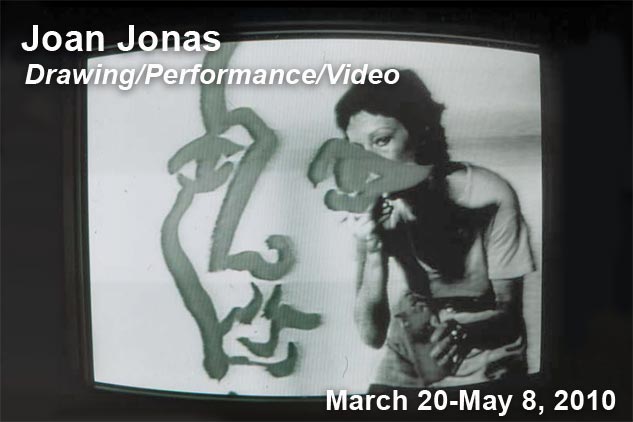
Location One is proud to present Drawing/Performance/Video, a new exhibition by Joan Jonas that highlights the role of drawing in the artist's performance and video work, on view through May 8, 2010.
In conjunction with this exhibition, Location One will host two evenings of conversation with Jonas.
March 24 at 7pm: Translations

Linda Nochlin speaks with Joan Jonas, moderated by Jovana Stokić

Beyond the current heated discussion of museums' interest in preserving the legacy of performance art of the 1970s, this talk will focus on another issue central to performance art: the representation of the feminine self from the 1970s till today. It brings together preeminent feminist art historian Linda Nochlin, and visionary artist Joan Jonas, contemporaries who, in different ways, have worked for more than five decades on debunking the myths of the essential female subject. The moderator of this encounter, art historian and curator Jovana Stokić, has written a PhD dissertation based on these quests in both art and art history. It is a critical intervention into the notion of contemporary femininity in representation by tracing the ways in which the genre of self-portraiture became the principal constituent of a specific, feminine artistic identity. This talk will discuss the strategy of performative reading that hopes to show how the representation of the body is constructed as a site of subjectivity for a particular artist–Joan Jonas. It will offer analysis of Jonas's works that focus on the notion of feminine self-representation: from her early video performances to her later works. It will shed light on Jonas's articulation of the artistic self in representation, and her purposeful evocation of feminine beauty in performance.

Please also join us
Thursday, April 8th at 7 pm

Bonnie Marranca, Founder and Publisher of PAJ, A Journal of Performance and Art, and Claire MacDonald, Director, International Centre for Fine Arts Research, University of the Arts London/Central St. Martins speak with Joan Jonas.

Joan Jonas is a pioneer of video-performance art. Her experiments and productions in the late 1960s and early 1970s were essential to the formulation of the genre. Threads of Jonas's influence can be found in many genres; from performance and video to conceptual art and theater.

Jonas has worked with composers such as Alvin Lucier and Jason Moran to develop video-performance works. Her work continues to explore the relationship of digital media to performance.

Jonas has had major retrospectives at the Stedelijk Museum, Amsterdam (1994), and Galerie der Stadt Stuttgart, Germany (2000), and was represented in Documenta V, VI, VII and XI in Kassel, Germany. In 2004, the Queens Museum of Art presented Joan Jonas: Five Works, the first major exhibition of the Joan Jonas's work in a New York museum. The exhibition included a selection of the artist's most significant installations, a video room, and a survey of Jonas' drawings, photographs, and sketchbooks.

The first installation and performance of Jonas's Reading Dante was at the 2008 Biennale of Sydney. Later that year Jonas performed the work at the Yokohama Triennale, and also performed a reading at The Isabella Stewart Gardner Museum in Boston. Jonas was featured in the International Pavilion of the 2009 Venice Biennale where she installed Reading Dante II. Most recently, the artist presented Reading Dante II at the Performing Garage in New York as part of Performa '09, and selected elements of this performance are featured in Reading Dante III at Yvon Lambert New York. Also at the Museum of Modern Art, through May 31, 2010, Performance 7: Mirage, which is a reimagining of the groundbreaking performance originally created in 1976. In 2009 Jonas was awarded the Guggenheim's first annual Lifetime Achievement Award.

Joan Jonas is represented by Yvon Lambert Gallery, and was Senior Artist in Residence at Location One in 2008-09.

Linda Nochlin, a Professor and art historian, is considered to be a leader in feminist art history studies. In 1971, the magazine ArtNews published an essay whose title posed a question that would spearhead an entirely new branch of art history. The essay, "Why Have There Been No Great Women Artists?," explores possible reasons why "greatness" in artistic accomplishment has been reserved for male "geniuses" such as Michelangelo. Nochlin argues that general social expectations against women seriously pursuing art, restrictions on educating women at art academies, and "the entire romantic, elitist, individual-glorifying, and monograph-producing substructure upon which the profession of art history is based" have systematically precluded the emergence of great women artists. Nochlin has also been involved in publishing other essays and books including Women, Art, and Power: And Other Essays (1988), The Politics of Vision: Essays on Nineteenth-Century Art and Society (1989), Women in the 19th Century: Categories and Contradictions (1997), and Representing Women (1999). Nochlin was the co-curator of a number of landmark exhibitions exploring the history and achievements of female artists. "Women Artists: 1550-1950" (with Anne Sutherland Harris) opened at the Los Angeles County Museum of Art in 1976. "Global Feminisms" (with Maura Reilly) opened at the Brooklyn Museum in 2007. Nochlin received her BA from Vassar College, an MA in English from Columbia University, and her PhD in the history of art from the Institute of Fine Arts at New York University in 1963. Besides feminist art history, she is best known for her work on Realism, specifically on Courbet. After working in the art history departments at Yale University, the Graduate Center of the City University of New York (with Rosalind Krauss), and Vassar College, Nochlin took a position at the Institute of Fine Arts, where she continues to teach.The thirty-year anniversary of Nochlin's query motivated a conference at Princeton University in 2001. The book associated with the conference, "Women artists at the Millennium", that hosts Nochlin's new essay ""Why Have There Been No Great Women Artists?" Thirty Years After", and in which art historians discuss the innovative work of contemporary artists in the light of the legacies of thirty years of feminist art history, appeared in 2006.

Belgrade-born, New York-based art historian and critic Jovana Stokić holds a PhD from the Institute of Fine Arts at the New York University. Her dissertation, titled "The Body Beautiful: Feminine Self-Representations 1970 - 2007," analyzes works of several women artists — Marina Abramovic, Martha Rosler, Joan Jonas — since the 1970s, particularly focusing on the notions of self-representation and beauty. Jovana has been writing art criticism for several years, and has curated several thematic exhibitions and performance events in the US, Italy, Spain and Serbia. Jovana was a fellow at the New Museum of Contemporary Art, New York, a researcher at the Whitney Museum of American Art, New York, and the curator of the Kimmel Center Galleries, New York University. She has most recently written an essay for Marina Abramović's MoMA exhibition catalogue.
NY State Council on the Arts

ABOUT LOCATION ONE

Based in the Soho arts district of New York, Location One is an independent, non-profit organization dedicated to fostering new forms of creative expression and cultural exchange through exhibitions, residencies, performances, public lectures and workshops. Traditionally focused on technological experimentation and new media, Location One's residencies and programs have favored social and political discourse and dialogue, and acted as a catalyst for collaborations. With a unique environment providing individualized training, support, and guidance to each artist, as well as exposure for their creations and collaborations, Location One continues to nurture the spirit of experimentation that it considers the cornerstone of its mission.

Friday, March 12, 2010

Homework + supplies due 03.26.10

1. Mastered SD DVD, ready for critique.

2. Three ideas for your final project: in your sketchbook, do at least one drawing for each idea, along with some text explaining it.

Have a great spring break!

Exporting from FCP

As of FCP 7, you can burn a mastered DVD directly from FCP (both SD and HD) -- super exciting!

Detailed instructions for burning an SD DVD (for most consumer DVD players) can be found on Ken Stone's Final Cut Pro website, click here.

For detailed instructions to burn a Blu-ray playable disc (only viewable from a Blu-ray DVD player, not your mac or a SD DVD player) click here.

*Ken Stone's website is an excellent FCP resource for many issues. Use it in addition to your textbook, and you can figure out anything.

Monday, March 8, 2010

Homework + supplies due 03.12.10

Finished sequence in FCP with split screen, filters, etc. Please make sure it's ready to go at the beginning of class!

Monday, March 1, 2010

Revised Syllabus

Due to the snow day and technical issues with some of your cameras, I've made some changes to the syllabus. The due date of the Multiple Personalities project is now 03.26.10, and some of the Origins of Cinema presentations have been moved. This still gives you a good amount of time to work on your final project, we just have one less field trip. Revised syllabus is below.


F 3/5 Session 6
-Cinema presentations
Lola: Fritz Lang's Metropolis (1927)
Suzette: Dziga Vertov's Man With A Movie Camera (1929)
-Fine cut of Multiple Personalities project due (in FCP)
Please arrive with your project fully edited (divided into split screens with accurate timing) and ready to apply filters, effects and/or transitions as needed. We will go over how to apply them, as well as how to export your project for DVD.
-Homework: Final cut of Multiple Personalities. Research export settings for your camera (full quality QuickTime file).

F 3/12 Session 7
-Cinema presentations
Daniel: Dali + Bunuel's Un Chien Andalou (1928)
Joanne: Charlie Chaplin's Modern Times (1936)
-Final Multiple Personalities sequence due.
-Lecture/Demo: Exporting, Mastering to DVD in iDVD and posting video to youtube
-Homework: Mastered DVD of Multiple Personalities. Read “WETUBE” by Mark Grief and be prepared to discuss in class.

F 3/19 Spring Break NO CLASS

F 3/26 Session 8
-Critique Multiple Personality projects
-Introduce Final Project: Personal Narrative
Due 5/7 (rough cut due 4/23). Narrative: the representation in art of an event or story.
Create a personal narrative using material and ideas developed in your sketchbook. This can be linear or non-linear, and incorporate stop-motion animation. Final piece must have a total run time of 3-5 minutes. Though not required, you are encouraged to work in teams.

-Lecture/Screenings:

Video as Narrative
Brief introduction to non-linear narrative, alternative ways of telling a story
"Meshes of the Afternoon" by Maya Deren
"Peel” and "Passionless Moments" by Jane Campion
"Garden of Earthly Delights" and "Commingled Containers" by Stan Brakhage

Intro to Stop-Motion Animation
Scenes from “William Kentridge: Drawing the Passing”
PES www.eatpes.com
Scenes from “Alice,” dir. Jan Svankmajer

-Discussion: “WETUBE”
-Homework: Drawings for Personal Narrative, 18 x 24.

F 4/2 Session 9
-Cinema presentations
Hannah: Welle's Citizen Kane (1941)
Bunny: Bergman's The Seventh Seal (1957)
-Individual meetings about final projects, review footage
-In-class work time
-Homework: Start shooting footage for Personal Narrative.

F 4/9 Session 10
-Field trip: “Marina Abramovic: The Artist is Present” at MoMA (free + subway fare) OR the Whitney Biennial ($12 + subway fare)
-Homework: Finish shooting footage for Personal Narrative.

F 4/16 Session 11
-Cinema presentations
Zach: Fellini's Satyricon (1969)
Robin: Tarkovsky's The Mirror (1975)
-Individual meetings about final projects, review footage
-In-class work time
-Homework: Rough cut of Personal Narrative.

F 4/23 Session 12
-Cinema presentations
Tyson: Truffaut's The 400 Blows (1959)
Amanda: Kurosawa's Dreams (1990)
Lisandra: Miike's ... ?
-Class critique of rough cuts
-In-class work time
-Homework: Final cut of Personal Narrative.

F 4/30 Session 13
-Review Mastering to DVD
-Individual meetings
-In-class work time
-Homework: Master final project to DVD.

F 5/7 Session 14
-LAST CLASS: Critique of Personal Narrative projects

Friday, February 26, 2010

Split Screen Tutorial

Here's a split screen tutorial. It uses FCP 5, but the process is the same.

Friday, February 19, 2010

Video Help

For those of you who are having problems getting your files into FCP ...

--If you have a Flip camera, check out this blog post:
http://visthinkings10.blogspot.com/2010/02/final-cut-pro-and-flip-ultra-hd.html
Try converting your files first with MPEG Streamclip,
http://www.squared5.com/svideo/mpeg-streamclip-mac.html.

--If you have another type of camera and files which are not working, you can also try using MPEG Streamclip to convert your files (http://www.squared5.com/svideo/mpeg-streamclip-mac.html). If this does not work, try googling it -- how do I convert a .XXX file to a quicktime or .MOV file. FCP loves quicktime (.MOV) files, that's your best bet.

--If you have tried and nothing works, please email both me and Tom (pninitom [at] gmail) and we will see what we can figure out. At a minimum we need the file extension (.avi, .m4v, .mov, etc.) and the make and model of your camera. If possible, send the actual file (or a short clip) via http://yousendit.com. The sooner you let us know what's wrong the better.

There are always always technical glitches, so don't lose heart -- good projects will be made.

For homework, get your project started (import footage, start making cuts). We will be editing in class next week, but I need to see some progress -- please don't wait until the night before and email me that nothing's working.

Have a good weekend, and good luck getting going.

-Norene

Final Cut Pro and Flip Ultra HD Workflow


To download MPEG Streamclip, click here.

Using Final Cut Pro

Software and Hardware Overview
• Nondestructive and nonlinear editing
• DV requires 3.6MB of storage per second, 216MB per minute, 1GB per 5 minutes
• Controlling video devices (connect and set camera to vtr before opening FCP)
• Firewire cameras, drives
• Headphones

Optimizing Computer Performance
• Settings:
Easy Setup
For NTSC Standard 4:3:
DV-NTSC, 48kHz/16 bit, 29.97 fps, 720 x 480 pixels
For NTSC Widescreen 16:9 (Canon ZR800):
Go to A/V Settings
Sequence preset: DV NTSC, 48kHz/16 bit
Capture preset: DV NTSC 48kHz Anamorphic
Device Control: FireWire NTSC
Video Playback: Apple FireWire NTSC 720 x 480
Then go to Easy Setup and choose NTSC, 29.97
• Set scratch disks to save all files to one place

Final Cut Pro Features
• Menus, Shortcuts, and Controls

Basic Shortcuts:
Ctrl-V = split clip at playhead
Cmd-+/- = zoom in and out of window
Shift-Z = fit to window
Ctrl-Click = shortcut menus
Cmd-A = select all
Cmd-X = cut
Cmd-Z = copy
Cmd-V = paste
Shift-Click = select multiple items
Home key = go to beginning of sequence
Cmd-C then Option-V = paste attributes
Ctrl-U = return viewers + keyboard to normal

• Editing and Effects Windows
The Browser: window where you organize and access all of your media source material
The Viewer: your source monitor, allows you to view video and audio clips, mark edit points, and add/control effects
The Canvas: monitor where you view playback of edited sequences (linked to the Timeline)
The Timeline: displays edited sequences as clips arrayed on multiple video and audio tracks along a time axis
The Tool Palette: contains editing tools for cutting and moving clips (similar to Photoshop)
A = Selection tool
B = Razor Blade tool
BB = Razor Blade All tool
R = Roll tool, keeps duration, only moves edit point
RR = Ripple tool (direction of tail = direction of edit), changes duration, deletes frames from clip
S = Slip tool, changes in & out w/out changing duration
SS = Slide tool, moves clip intact, changing duration of 2 clips on either side
P = Pen tool (for keyframes) – hold down Optn key, will change tool to Pen
C = Crop tool (use in Canvas)
D = Distort tool (use in Canvas)


Capturing Media
• Log and Capture
• Batch Capturing Clips
• File Naming — .bin, .seq, each folder/drive/partition should not contain the entire name of another f/d/p
• Selecting a Logging Bin
• Logging and Capturing

The Viewer
• Working with Clips
• Navigating with Timecode
• Setting In and Out Points

Editing in FCP
• Creating a sequence
• Basic Editing
Insert edit: inserts clip at the In point, and moves media to the right to make room for the new source clip
Overwrite edit: the source clip overwrites sequence clips past the sequence In point with no time shift in the existing sequence
Replace edit: replaces the contents of a sequence clip with source clip (uses position of viewer playhead)
Fit to Fill edit: the speed of the source clip adjusts to fill the duration specified by the sequence In and Out points
Superimpose edit: source clip is placed on a new track above the target track, starting at the sequence In point
Transition edits: the source clip is inserted into the sequence with the default transition at the source clip's head
• Deleting clips from a sequence
Lift: removes selected material leaving a gap (shortcut: Command-X)
Ripple Delete: removes the selected material and closes the gap (shortcut: Shift-Delete)
• Performing Edits in the Timeline + Canvas
J-K-L keys = rewind-stop-play
Q = toggle between Viewer and Canvas
Optn-X = delete in & out points
==> = insert edit
⇓ = overwrite edit
⇓⇑ = arrow keys, jump from edit to edit
⇔ = arrow keys, go frame to frame
+15 = 15 frames forward
-15 = 15 frames back
1. = 1 second (period = 2 zeros)
Shft-Z = fit to timeline
Snapping = (green button upper rt. side of Timeline) playhead snaps to nearest edit point
Shft-I/O = go to In/Out
Optn-I/O = delete In/Out
Optn-X = delete In/Out
Generally – Shift = Forward, Option = Back
Shft-G = search for gaps (lock audio/non-changing tracks first)
When green L appears in Canvas, first/last frame
Shft-Delete = ripple delete (deletes clip, and moves clips forward to remove gap)
Fit to Fill = stretches clip out to fit duration
Replace edit = replaces w/same duration
Sprocket holes = working on clip from timeline, NOT browser
F key = match frame
Shft-F = find in Browser
Shft-N = make freeze frame (go back 1 frame before inserting)

Transitions
• Adding Transitions
Must have handles for transitions (recommend 2 sec.)
Buttons – change center of dissolve
Can change default transition in Browser
• Can copy & paste

Sending Project to Tape or DVD
• Exporting
• Printing to Video

Working with Audio
• Importing Audio Files
-FCP likes 48k, 16 bit, stereo AIFF files – convert in iTunes
• Editing Audio Files
- If title is underlined, linked
Optn-L = to link/unlink
-You never want your audio over or close to 0, should be -12, dialogue -6, ceiling -3
-Use keyframes to adjust sections of audio
-Optn-K/Shift-K to go back and forth between keyframes
-You must be exactly on the keyframe to adjust it, otherwise FCP makes a new one
-Select track>Edit>Remove Attributes will delete all keyframes
-Reset also wipes out all keyframes

Working with Images
• Importing Still Images
-User Preferences> Still/Freeze Duration (default is 10 sec.)
• Importing Photoshop files
-Master size on Photoshop: 720 x 534 72dpi
-After adjustments, change Image Size to 720 x 480 and import into FCP

Creating Titles
• Use Generator Menu for text and colors
• For Scrolling text, * = center point
• Option-P = preview in RT

Technical Resources
• The Final Cut Pro Help Menu in Final Cut Pro — this is the entire FCP manual in PDF format, easy to search and relatively well written for a software manual
• http://www.apple.com/support/finalcutpro — for apple technical support and discussion boards
• http://www.nycfcpug.com — The New York City Final Cut Pro Users Group, free to join and a good resource for technical questions

Friday, February 12, 2010

Homework + supplies due 02.19.10

1. Finish shooting footage for Multiple Personalities project.

2. Bring with you to class:
-camera and cables to start editing
-Lisa Brenneis' book, Final Cut Pro 7: Visual QuickPro Guide
-fire wire 800 drive

Shirin Neshat's Turbulent

Shirin Neshat's work refers to the social, cultural and religious codes of Muslim societies and the complexity of certain oppositions, such as man and woman. Neshat often emphasizes this theme with the technique of showing two or more coordinated films concurrently, creating stark visual contrasts through such motifs as light and dark, black and white, male and female.

In Turbulent, Neshat's 1998 two-screen video installation, two singers (Shoja Azari playing the role of the male and Iranian Vocalist and composer Sussan Deyhim as the female) create a powerful musical metaphor for the complexity of gender roles and cultural power within the framework of ancient Persian music and poetry.

Wednesday, February 10, 2010

Origins of Cinema

Please keep your presentation to 20 minutes MAX. It should include:
-Brief bio and filmography of the director
-Brief summary of the film’s plot and necessary story elements
-Screening and analysis of two important scenes: discuss the “mise-en-scène” --
framing, composition, POV, sets, lighting, acting, costumes, etc.
-Historical and critical analysis: why is this film important within the history of film, and what makes it unique?

Presentation Films + Dates
2/19
Maria: Melies' A trip to the Moon (1902)
Kelly: F. W. Murnau's Nosferatu (1922)
2/26
Lola: Fritz Lang's Metropolis (1927)
Suzette: Dziga Vertov's Man With A Movie Camera (1929)
3/5
Daniel: Dali + Bunuel's Un Chien Andalou (1928)
Joanne: Charlie Chaplin's Modern Times (1936)
4/2
Hannah: Welle's Citizen Kane (1941)
Bunny: Bergman's The Seventh Seal (1957)
4/9
Zach: Fellini's Satyricon (1969)
Robin: Tarkovsky's The Mirror (1975)
4/16
Julia: Godard's Breathless (1950)
Tyson: Truffaut's The 400 Blows (1959)
4/23
Amanda: Kurosawa's Dreams (1990)
Lisandra: Miike's ... ?

Friday, February 5, 2010

Homework + supplies due 02.12.10

1. Go see Mirage by Joan Jonas at MoMA. Write three paragraphs about the project in your sketchbook. Be prepared to discuss in class next week.

2. Read Nam June Paik's Input-Time and Output-Time. Be prepared to discuss in class.

3. If you haven't already, get your camera and hard drive and start shooting Multiple Personalities footage.

Technical Tips for Shooting Video

Before you start
Check out your equipment online 48 hours in advance. Once you get it from the 9th floor, check it meticulously before signing it out (plug in the lights, turn on the camera and check the zoom, etc.). Otherwise if any thing is wrong, you will have to pay for it.
NEVER EVER leave your equipment unattended. Get someone to watch it for you or lock it up.

Framing & Shooting
When you are framing your shots, remember that standard video has a 4:3 or 1.33 :1 aspect ratio – it’s almost square, unlike the long rectangle of film.

Video gets cropped – even the best new flat screen TV will crop your image around the edges. Be sure that anything important happens within the “action safe” area and not at the very edge of your frame.

Just because you see life at eye level, don’t confine the camera there – the placement of the camera is one of the most important aspects of shooting video. It is the statement of what the scene represents and how the audience is supposed to view this particular situation.

Sometimes a shot will look flat when it is projected, even though it looked good to you in the viewfinder. While our eyes view the set and actors in stereo, we are dealing with a monocular system of recording and display. A good solution is to look at a scene through only one eye when you shoot it.

If you are unsure of your exposure setting, it is best to err on the side of slightly too dark instead of too light. Too dark is much easier to fix in Final Cut Pro. If the image is blown out, that information cannot be recovered.

Video does not handle high-contrast ratios well – it’s best to avoid really bright whites or dark darks unless you are going for a particular effect.

Always remember to manually white balance your shots.

Avoid clothes with large white areas. Also avoid thin stripes, checks or herringbone patterns if possible.

Only zoom if you have a really good reason.

The tripod is your friend – only shoot handheld for a really good reason.

Try to avoid using the “Auto focus” setting. Manually focus your shots, so you don’t get jumps in focusing.

If in doubt, work with a partner and use multiple cameras – the more coverage the better.

Lighting
Handle the lights in the light kit with gloves and never touch the bulbs inside without gloves even if they are cool – they get so hot that the oil from your hands and fingerprints will burn off, and could cause the bulb to explode.

As the sun moves across the sky it changes color and temperature. This may not be picked up by your eyes, but it will be picked up by the camera.

Different light sources have different colors and temperatures (fluorescent light is green, daylight is blue). Don’t mix them together, it will wreak havoc with your white balance.

Fill panels (boards used to bounce or reflect light) can be made from almost anything (foam core, drawing pads, cardboard boxes). Improvise!

Remember, “Good editing can’t fix bad video.”

If you want to learn more about shooting professional video, and transferring video to film, I highly recommend Digital Moviemaking by Scott Billups. His website, http://www.pixelmonger.com is also a great resource.

You can download and print this handout here.

Introduction to Video Art

Video arrived in the mid 20th century and film was suddenly not the only means of creating moving images.

In 1965 Sony Corporation introduced the Portapak, a handheld video camera and portable video recorder — 1/2in. tape as opposed to 2in. tape used for broadcast TV — brought ease, mobility, and affordability to video production — by 1968 exhibitions of video art internationally.

Video is a new medium (only 45 years as opposed to thousands of years of drawing, painting, sculpture) — Difficult to categorize since there are no official schools of video, like the Impressionists or the Abstract Expressionists, just themes.

Video is an 'Art of time' used to extend, repeat, fast forward, and slow down time — new way of telling a story, non-linear video loops.

Early video pioneers in the 60s and 70s used video as another material (like paint and canvas, or marble) to execute an idea — artists used whatever material they were interested in.

General Categories of Video Art:
-Recording "mixed media" performances: Video emerged at a time when sculpture, painting, and dance were merging — Robert Rauchenberg/Merce Cunningham/John Cage — used to record public performances Carolee Schneeman Meat Joy (1964) Interior Scroll (1975)

-Extension of the body: used to record private performances Vito Acconci Digging Piece (1970) futile attempt to bury himself / Joan Jonas Good Night Good Morning (1976) set on side, mirror display

-Technological advances: Nam June Paik / Steina and Woody Vasulka deconstruction of video signal

-Interactivity: Gary Hill Tall Ships (1992) immersion / Doug Aitken electric earth (1999) labyrinth of screens

-Surveillance: Bruce Nauman Performance Corridor (1968-70), claustrophobic enclosure of 2 floor-to-ceiling parallel walls that form a tunnel, at end 2 stacked video monitors, confronted with your own image taped from a surveillance camera / Julia Sher Security by Julia installations (80's-present) turns surveillance industry on its head by exaggerating it, manipulating it, and aestheticizing it, greeted at gallery/museum door by guard wearing pink "Security by Julia" uniform seated in front of bank of monitors, can print out image of yourself or others, watch yourself and others, voyeurism and paranoia

-Critique of commercial television or film: Nam June Paik Global Groove (1973) barrages of images, hallucinatory, media saturation / Ant Farm (with T.R. Uthco) The Eternal Frame (1975) Mock documentary that reenacts Zapruder film of 1963 Kennedy assassination in Dallas, questioning the veracity of the memory of the tragic event and media spectacle it became / Vito Acconci Theme Song (1973), lying on floor smoking and listening to music imploring viewer "Come closer to me…come on… I'm all alone…" his blatant manipulations expose the covert enticements of advertising / Dara Birnbaum Technology/Transformation: Wonder Woman (1978-79) and Kiss the Girls: Make Them Cry (1978-79) trying to counter the banal and sensational images of women in popular TV shows, used actual footage from TV to subvert intended meanings of programs / Daniel Pflumm Question and Answers, CNN (1999)

-Time-based ("moving") painting or drawing: William Kentridge's hand-drawn animations about apartheid; Eve Sussman's 89 seconds at Alcazar, an elaborate video reenactment of the Velasquez painting, Las Meninas; Stan Brakhage's Garden of Earthly Delights (film but an important precursor)

Screening:
Surveying the First Decade: Video Art and Alternative Media in the US

Program 1, Explorations of Presence, Performance and Audience
The artists included here moved into video from performance, sculpture, photography, writing and dance. They used the video camera as a mirror, a tool to investigate perception, presenting performative strategies within the paradoxically intimate and distanced theater of the video monitor. In most pieces the performer constructs an active relationship with the audience, and the viewer's awareness is specifically acknowledged.

“Two Dogs and a Ball,” William Wegman, 1972

“Used Car Salesman,” William Wegman, 1972

"Baldessari Sings Lewitt," John Baldessari, 1972
One of Baldessari's most ambitious and risky efforts. Seated and holding a sheaf of papers, he proceeds to sing each of Sol LeWitt's 35 conceptual statements to a different pop tune, after the model of Ella Fitzgerald Sings Cole Porter. What initially presents itself as humorous gradually becomes a struggle to convey Lewitt's statements through this arbitrary means.

“Undertone,” Vito Acconci, 1973
One of Acconci's most compelling and controversial works, Undertone is a confrontational and coercive attempt to engage the viewer in an intimate, ultimately perverse relation with the artist as he expounds a masturbatory fantasy with the viewer as voyeur.

“Vertical Roll,” Joan Jonas, 1972
Using the technique of a continuous vertical roll, Jonas constructs a theater of female identity by deconstructing representations of the female body. Using her own body as performance object and video as a theatrical construct, Jonas unveils a disjunctive self-portrait. As she performs in front of the camera-- masked, wearing a feathered headdress, or costumed as a belly-dancer--her feet, torso, arms and legs, subjected to the violence of the vertical roll, appear as disembodied fragments.

Friday, January 29, 2010

Homework + supplies due 02.05.10

1. Get Mini DV or HD video camera and 50+ GB fire wire hard drive (if the drive is fire wire 400, you need an adapter available from B & H). If they are being shipped, please make sure they are here by 02.09.10 so you have time to shoot some footage before class on 02.12.10.

2. Six drawings for Multiple Personalities project on 18 x 24 paper (make 6- 4.5 x 8 in. squares).

3. Choose 3 possible films for your Origins of Cinema presentation, and email me asap. First come, first served.

Tuesday, January 26, 2010

Video Cameras

Flip Ultra HD $150
*keep in mind, the flip is cheap but there is no image stabilization, zoom, or audio input

Sony DCR-HC52 (Mini DV with audio input) approx. $200

Canon ZR800 (Mini DV with audio input) approx. $200

Sony HDR-CX100 AVCHD (No audio input) approx. $375

Canon VIXIA HF200 HD (audio input via "mini" shoe) approx. $520
*cheapest HD camera with audio input

Best places to purchase video equipment and tape stock in NYC:

Adorama Camera Inc.
42 W. 18th St., NY, NY 10011
800.223.2500

B & H Photo / Video
420 9th Ave., NY, NY 10001
800.606.6969 / 212.444.6615

How to Reserve Equipment

To reserve equipment:

1. Go to http://www.newschool.edu/at.
2. Click on “Student Reservations “ > “Book Equipment for Pick-Up at Equipment Center”.
3. Read and agree to terms and conditions.
4. Reserve your equipment, start date must be 2 full days business days in advance.
5. Once you have chosen your equipment kits and dates, reserve your optional accessories:
-manual/s
-headset w/ mini-plug
-remote control
-quick-release tripod
-tripod bag
-camcorder shotgun mic
-XLR to mini cable
6. Pick up your equipment from the Equipment Center.
You must have a valid New School ID to pick up, they will not give you anything without one. Make sure that you TEST EVERYTHING before you sign for it, otherwise you are liable -- and they will make you pay. There is also a $40 no show fee, for reserving equipment and not showing up on time to pick it up. Late fees are $20 per hour.

To download the New School tip sheet for equipment click here.

The Equipment Center

Location
55 West 13th St, Rm. 921

Hours
Sunday 10:30am - 11:30pm
Monday - Thursday 8:30am - 11:30pm
Friday 8:30am - 9:30pm
Saturday 9:30am - 7:30pm
*RESERVED EQUIPMENT IS DUE BACK BY 7PM

Contact
Tel: 212.229.5300 ext. 4556
Fax: 212.647.8202
Email: eqc[at]newschool[dot]edu

First project: Multiple Personalities (due 03.05.09)

This is a single-channel split screen video project, where you will have 2 image sequences playing simultaneously on the same screen. Think of each sequence as a video self-portrait with sound, and decide how you want your 2 (or more) selves to interact. Storyboard your sequences together, keeping in mind that the viewer will see both simultaneously. Think about where and when you want your viewers to focus, and keep the total run time to approx. 2 minutes. Once you have decided on the sequences, arrange them within a 16 x 9 or 4 x 3 rectangle (aspect ratio depends on your camera). The screen can be divided in any direction: horizontal, vertical, or diagonal. Check out http://www.splitscreen.us/ for ideas and inspiration.


References

“Buffalo 66,” dir. Vincent Gallo, 2006


“King” and “Queen,” Candice Breitz, 2005


“The Way Things Go,” Peter Fischli & David Weiss, 1987


“Public Privacy,” Wendy Richmond, ongoing

"3 Revolutions," Frank Zadlo, 2008

Welcome to Visual Thinking: Video


Pipilotti Rist, video still, 2001

Welcome to Visual Thinking: Video at Parsons! We're looking forward to an exciting and productive semester.

To download the syllabus, click here.

To download the vocabulary terms handout click here.

To download the origins of cinema presentations handout click here.

To download the storyboards handout click here.

The best way to get in touch with me outside of class is email, leddyn [at] newschool [dot] edu. You can reach me by phone through the fine arts office 212-229-8942, I also have a mailbox there. The fine arts office is located at 25 E. 13th Street, 5th floor.